Power BI Deployment Pipelines with PBIP + fabric-cicd (2026 Playbook)
A modern CI/CD playbook for Power BI in 2026 using PBIP source-controllable format and the fabric-cicd Python library. Includes a working GitHub Actions YAML and a Git-branching strategy.
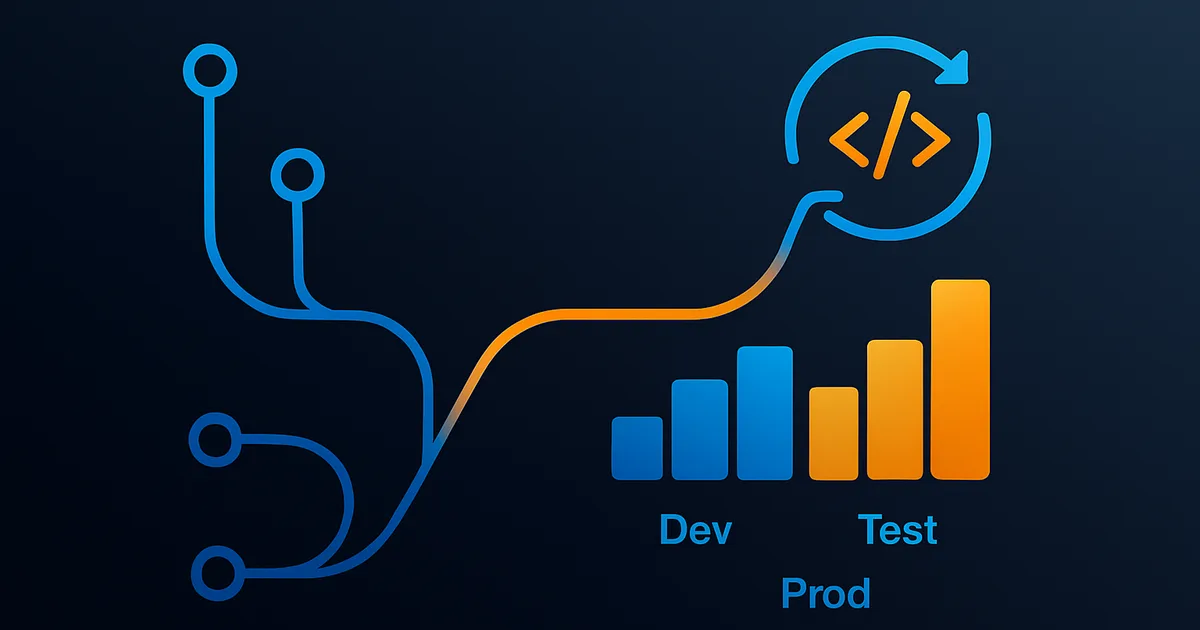
The reference material for Power BI CI/CD on the internet is from 2023 and 2024. It walks you through the built-in Power BI deployment pipelines feature (dev, test, prod workspaces with a click-to-promote button) and calls that CI/CD. That is not CI/CD. That is manual promotion with a UI. In 2026 the real CI/CD story for Power BI runs on the PBIP source-controllable file format plus the fabric-cicd Python library, and any team shipping BI content at scale should be running it this way. This is the playbook.
Why the Old Story Is Wrong
The built-in Power BI deployment pipelines feature has three problems that make it unsuitable for real CI/CD:
- No source control. Power BI Desktop's PBIX format is a binary zip and is not meaningfully diffable. You cannot review a semantic model change in a pull request when the file is opaque.
- No automated testing. There is no hook to run a linter, a schema validator, or a DAX best-practice analyzer against a PBIX before it promotes.
- No environment parameterization. The old flow requires you to open the report in each environment to swap connection strings. That is a manual step and it breaks the "check in code, deploy" promise of CI/CD.
The 2026 stack solves all three:
- PBIP (Power BI Project format) breaks the semantic model and report into a directory of TMDL, JSON, and CSS files that Git can diff and review.
- fabric-cicd is a Python library published by Microsoft (github.com/microsoft/fabric-cicd) that deploys PBIP source directories to Fabric workspaces via the Fabric REST API.
- GitHub Actions (or Azure DevOps Pipelines, or GitLab CI) triggers the deploy on merge to main, on tag, or on manual dispatch — with pre-deploy validation gates.
Step 1: Enable PBIP in Power BI Desktop
PBIP has been in preview since 2023 and went GA in early 2026. Enable it in Power BI Desktop:
- File → Options and settings → Options.
- Preview features → check Power BI Project (.pbip) save format. (GA'd in Feb 2026 — this box may be already checked in your build.)
- Restart Power BI Desktop.
When you save a model, choose File → Save As → Power BI Project (.pbip). Power BI Desktop writes a directory instead of a PBIX. The directory structure:
``` MyReport.pbip # entry file (JSON, minimal) MyReport.SemanticModel/ definition/ tables/ Sales.tmdl # TMDL — Tabular Model Definition Language Customer.tmdl Date.tmdl relationships.tmdl model.tmdl database.tmdl expressions.tmdl # Power Query M code .platform # workspace metadata MyReport.Report/ definition/ pages/ ReportPage.json # visuals and layout report.json version.json .platform ```
TMDL (Tabular Model Definition Language) is the important part. It is human-readable, diffable, and reviewable. A DAX measure change now shows up as a clean 3-line diff in a pull request. Semantic model refactors that used to be invisible in code review are now visible.
Step 2: Set Up Your Repository
Structure your repo:
``` / .github/workflows/ deploy-dev.yml deploy-test.yml deploy-prod.yml environments/ dev.yaml test.yaml prod.yaml reports/ Sales/ Sales.pbip Sales.SemanticModel/... Sales.Report/... Finance/ Finance.pbip ... scripts/ deploy.py validate.py requirements.txt README.md ```
environments/dev.yaml (one per environment):
```yaml workspace_id: "aaaaaaaa-1111-2222-3333-444444444444" capacity_type: fabric parameters: DatabaseServer: "dev-sql.database.windows.net" DatabaseName: "SalesDW_Dev" StorageAccount: "devstorageaccount" ```
Environment-specific parameters flow into semantic model expressions at deploy time. The report code is identical across environments; only the parameters change.
Step 3: Install fabric-cicd
```bash pip install fabric-cicd ```
fabric-cicd is a Python library that: - Reads PBIP directories. - Substitutes environment parameters into the TMDL and Power Query M code. - Deploys to a Fabric workspace via the Fabric REST API. - Waits for deployment to complete and reports status.
Step 4: Deploy Script
```python # scripts/deploy.py import os import sys import yaml from fabric_cicd import FabricWorkspace, publish_all_items
def main(env_name: str, report_folder: str): with open(f"environments/{env_name}.yaml") as f: env = yaml.safe_load(f)
workspace = FabricWorkspace( workspace_id=env["workspace_id"], environment=env_name, repository_directory=report_folder, item_type_in_scope=["SemanticModel", "Report"], environment_parameter=env["parameters"], )
publish_all_items(workspace) print(f"Deployed {report_folder} to {env_name}")
if __name__ == "__main__": env_name = sys.argv[1] report_folder = sys.argv[2] main(env_name, report_folder) ```
Step 5: GitHub Actions Workflow
```yaml # .github/workflows/deploy-prod.yml name: Deploy Power BI to Production
on: push: tags: - 'prod-*' workflow_dispatch:
permissions: id-token: write contents: read
jobs: validate: runs-on: ubuntu-latest steps: - uses: actions/checkout@v4 - name: Set up Python uses: actions/setup-python@v5 with: python-version: '3.12' - name: Install dependencies run: pip install -r requirements.txt - name: Run DAX best-practice analyzer run: python scripts/validate.py --path reports/
deploy: runs-on: ubuntu-latest needs: validate environment: production steps: - uses: actions/checkout@v4 - name: Set up Python uses: actions/setup-python@v5 with: python-version: '3.12' - name: Install dependencies run: pip install -r requirements.txt - name: Azure login (OIDC federated identity) uses: azure/login@v2 with: client-id: ${{ secrets.AZURE_CLIENT_ID }} tenant-id: ${{ secrets.AZURE_TENANT_ID }} subscription-id: ${{ secrets.AZURE_SUBSCRIPTION_ID }} - name: Deploy Sales report run: python scripts/deploy.py prod reports/Sales - name: Deploy Finance report run: python scripts/deploy.py prod reports/Finance ```
Two things to notice:
- OIDC federated identity replaces long-lived secrets. Azure federates GitHub's OIDC token, and your workflow authenticates to Fabric without a service principal password anywhere in the pipeline. This is the current recommended pattern for CI/CD against any Azure or Fabric API.
- Environment protection rules on the `production` environment enforce required reviewers before the deploy job runs. GitHub does not run the job until a reviewer approves.
Step 6: Git-Branching Strategy
The branching strategy that works best in production:
- main: source of truth. Every merge to main deploys to dev automatically.
- release/: release branches for controlled promotion. Merging a release branch triggers deploy to test. Tagging `prod-*` on a release branch triggers deploy to production.
- feature/: feature branches for individual changes. Feature branches deploy only to a per-developer sandbox workspace on push (optional).
Pull request checks run against feature branches: the DAX best-practice analyzer, TMDL schema validation, and a semantic model deploy-and-refresh test against a scratch workspace. Merges to main are gated on all checks passing.
Testing Semantic Models in CI
The two most valuable pre-deploy tests:
- DAX best-practice analyzer (Tabular Editor's BPA). Run against the TMDL definition to catch common performance and modeling mistakes before deploy. Rules include: measures should not use CALCULATE with FILTER over ALL, avoid iterators over full fact tables, prefer measures over calculated columns for aggregations.
- Schema-and-refresh smoke test. Deploy the semantic model to a scratch Fabric workspace, kick off a refresh, wait for completion, assert non-zero row counts on top-10 tables. Catches broken connection strings, missing source data, and DAX errors that break at refresh time.
Handling Sensitivity Labels, RLS, and Deployment Rules
Two additional patterns you need in production:
Sensitivity labels — sensitivity labels on semantic models do not flow through PBIP by default. You must apply them via the Fabric Admin API in a post-deploy step. fabric-cicd v0.15+ supports this via the `item_sensitivity_labels` parameter.
Row-level security — RLS role definitions are in the TMDL and deploy correctly. RLS role *memberships* (which user is in which role) are workspace-scoped and must be managed via the Fabric Admin API or a separate identity-management workflow. Do not check RLS role memberships into your repo unless you have a specific reason.
Migration Path from PBIX + Deployment Pipelines
If you are on the classic PBIX + built-in deployment pipelines stack today, the migration is incremental:
- Convert one report to PBIP in a feature branch. Confirm the semantic model and report save and open correctly. Merge to main.
- Add fabric-cicd deployment for that one report to dev workspace. Confirm deploy works end-to-end.
- Extend to test and prod workspaces for that one report.
- Repeat for each report in your portfolio.
- Retire the built-in deployment pipeline for that report family. Optionally leave it in place as a fallback for the first 60 days.
Budget 1-2 days per report for the initial conversion, less as your team gets fluent with PBIP and TMDL.
Related Guides
- Fabric Data Agent API: Public Preview Guide
- Fabric SQL Database Auto-Provisioning Guide
- Direct Lake+ vs Import Mode: 2026 Decision Framework
- Microsoft Fabric Consulting Services
Ready to move your Power BI portfolio to PBIP + fabric-cicd? Book a 30-minute CI/CD strategy call.
Frequently Asked Questions
What is PBIP format in Power BI?
PBIP (Power BI Project) is a source-controllable file format that replaces the opaque PBIX zip. Instead of a binary file, PBIP is a directory of TMDL files (Tabular Model Definition Language for the semantic model), JSON files (for the report), and Power Query M code. Every change is diffable in Git and reviewable in a pull request. PBIP went GA in early 2026 and is now the recommended format for any Power BI work under source control.
What is fabric-cicd?
fabric-cicd is a Python library published by Microsoft (github.com/microsoft/fabric-cicd) that deploys PBIP source directories to Fabric workspaces via the Fabric REST API. It handles parameter substitution across environments, waits for deploys to complete, and returns deploy status for CI/CD orchestration. It is the modern replacement for the built-in Power BI Deployment Pipelines feature.
Should I use built-in Power BI Deployment Pipelines or PBIP + fabric-cicd?
For any team practicing real CI/CD (source control, code review, automated testing, environment promotion via merges and tags), use PBIP + fabric-cicd. The built-in Deployment Pipelines feature is a manual UI promotion tool, not CI/CD, and lacks source control diffing, automated testing hooks, and environment parameterization. For very small teams shipping single reports with no code review process, the built-in feature still works.
How do I authenticate GitHub Actions to Fabric for deploy?
Use OIDC federated identity, not long-lived service principal secrets. In Azure, configure a federated credential on your service principal that trusts GitHub's OIDC issuer for your specific repo and branch. In GitHub Actions, use the azure/login@v2 action with permissions: id-token: write. The workflow authenticates to Azure and Fabric without any password stored in the pipeline. This is the current recommended pattern for CI/CD against Fabric APIs.
Can PBIP handle sensitivity labels and RLS in Power BI?
Semantic model sensitivity labels do not flow through PBIP by default and must be applied via the Fabric Admin API in a post-deploy step (fabric-cicd v0.15+ supports this). Row-level security role definitions in TMDL deploy correctly. RLS role memberships are workspace-scoped and must be managed separately via the Fabric Admin API or an identity-management workflow — do not check user-role memberships into your repo.
What tests should I run in CI before deploying a Power BI report?
Two tests are highest-value: (1) DAX best-practice analyzer (Tabular Editor BPA rules) run against the TMDL to catch common performance mistakes before deploy, and (2) a schema-and-refresh smoke test — deploy the semantic model to a scratch Fabric workspace, kick off a refresh, wait for completion, assert non-zero row counts on top-10 tables. This catches broken connection strings, missing source data, and DAX errors that only surface at refresh.
How long does it take to migrate a Power BI portfolio from PBIX to PBIP?
Budget 1-2 days per report for the initial PBIP conversion and fabric-cicd deployment wiring, less as your team gets fluent with the toolchain. A 20-report portfolio typically converts in 4-6 weeks with a small dedicated team, and pays back the investment within 3-6 months through eliminated manual promotion overhead and faster review cycles.